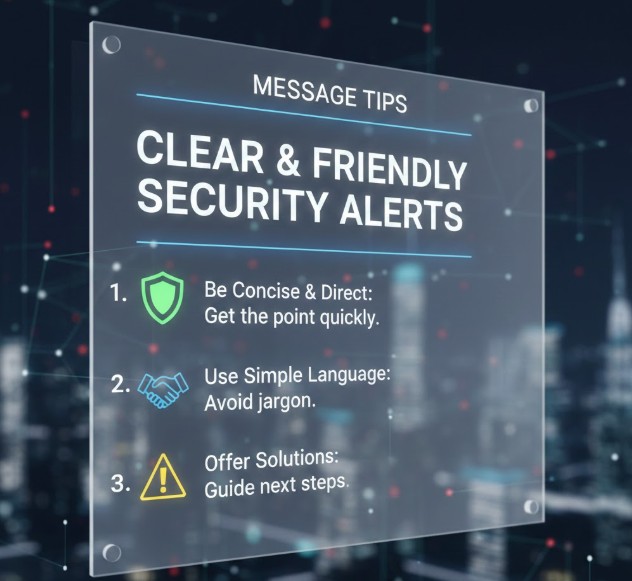
Message Tips for Clear and Friendly Security Alerts are essential for protecting users without creating unnecessary fear or confusion. Security alerts often appear during sensitive moments, such as unusual activity or account changes. When written poorly, these messages can alarm users or be ignored entirely. Clear and friendly security alerts help users understand risks, take appropriate action, and maintain trust in the system.
Why Security Alerts Need Clear Messaging
Security alerts communicate critical information that requires user attention. If alerts are too technical, vague, or aggressive, users may panic or dismiss them. Well-written alerts balance seriousness with clarity, ensuring users feel informed rather than overwhelmed.
Clearly State What Happened
One of the most important message tips for clear and friendly security alerts is explaining what triggered the alert. Users should immediately understand what occurred, such as a new login or a settings change, without interpreting complex technical terms.
Explain Why the Alert Matters
Security messages should briefly explain why the alert is important. Helping users understand potential risks increases the likelihood of appropriate action while reducing unnecessary anxiety.
Provide Clear Next Steps
Effective security alerts always guide users on what to do next. Whether it is reviewing activity, updating credentials, or confirming an action, clear instructions help users respond confidently and quickly.
Use a Calm and Reassuring Tone
Security alerts should sound supportive, not threatening. Avoid alarming language or excessive warnings. A calm and respectful tone reassures users that the situation is manageable and under control.
Avoid Technical Jargon
Technical terms can confuse non-expert users. Simplifying language is a key part of message tips for clear and friendly security alerts. Focus on what the user needs to know and do, rather than how the system works internally.
Differentiate Between Urgent and Informational Alerts
Not all security messages require immediate action. Clearly distinguishing urgent alerts from informational ones helps users prioritize correctly and prevents alert fatigue.
Reinforce User Control and Safety
Security alerts should remind users that they are in control. Messages that emphasize available options and protections build confidence and trust in the system.
Review and Improve Based on User Behavior
Monitoring how users respond to security alerts helps identify areas for improvement. If users ignore or misunderstand alerts, messaging may need refinement. Continuous improvement ensures alerts remain effective and user-friendly.
Conclusion
Applying Message Tips for Clear and Friendly Security Alerts allows organizations to protect users while maintaining a positive experience. By focusing on clarity, calm tone, actionable guidance, and user-centered language, security alerts can inform without intimidating. Effective security messaging strengthens trust and encourages responsible user action.


